VOICE → FLEET · RECORDED LIVE · 2026-10-03
Talk to your fleet.
Every chat window speaks to one model. codescribe speaks to a fleet: one spoken sentence reaches live agent sessions on two machines, different vendors answer out loud, and every delivery leaves a receipt.
NOT A MOCKUP
A real afternoon, on the record.
These are envelopes from the session that built this page. The founder spoke; a Claude Code session woke up, answered in its own voice, and acknowledged the delivery — then was told, by voice, to build this page.
{ "kind": "seal", "delivery_id": "05f956af…",
  "status": "transcript_sealed",
  "text": "…czas do otrzymania wiadomości —
jest zajebiste." }{ "kind": "seal", "delivery_id": "c82f5d03…",
"text": "…this belongs on the codescribe site." }YOUR FLEET, ON SCREEN
Choose a channel. Keep talking.
One overlay for your words and your agent channels. Choose who you want to talk to, then use the shortcuts that suit your hands.
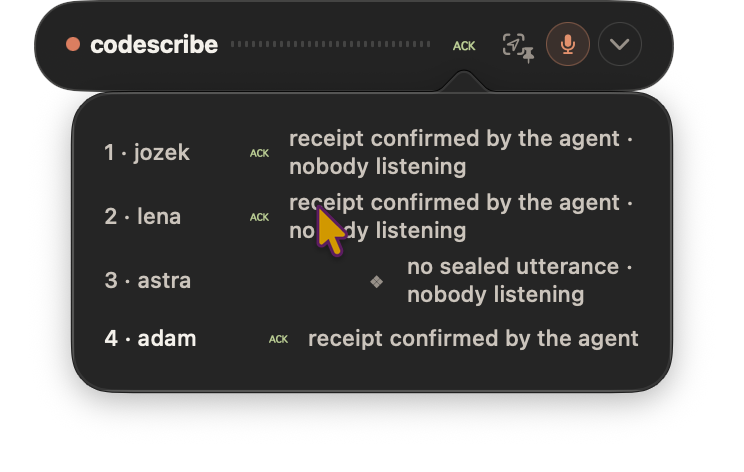
Your agents, by name.
Open the channel list to see who's assigned to each number, whether anyone is listening, and whether your last message was acknowledged. Switch channels with Ctrl + a number, or choose Fn in Settings.
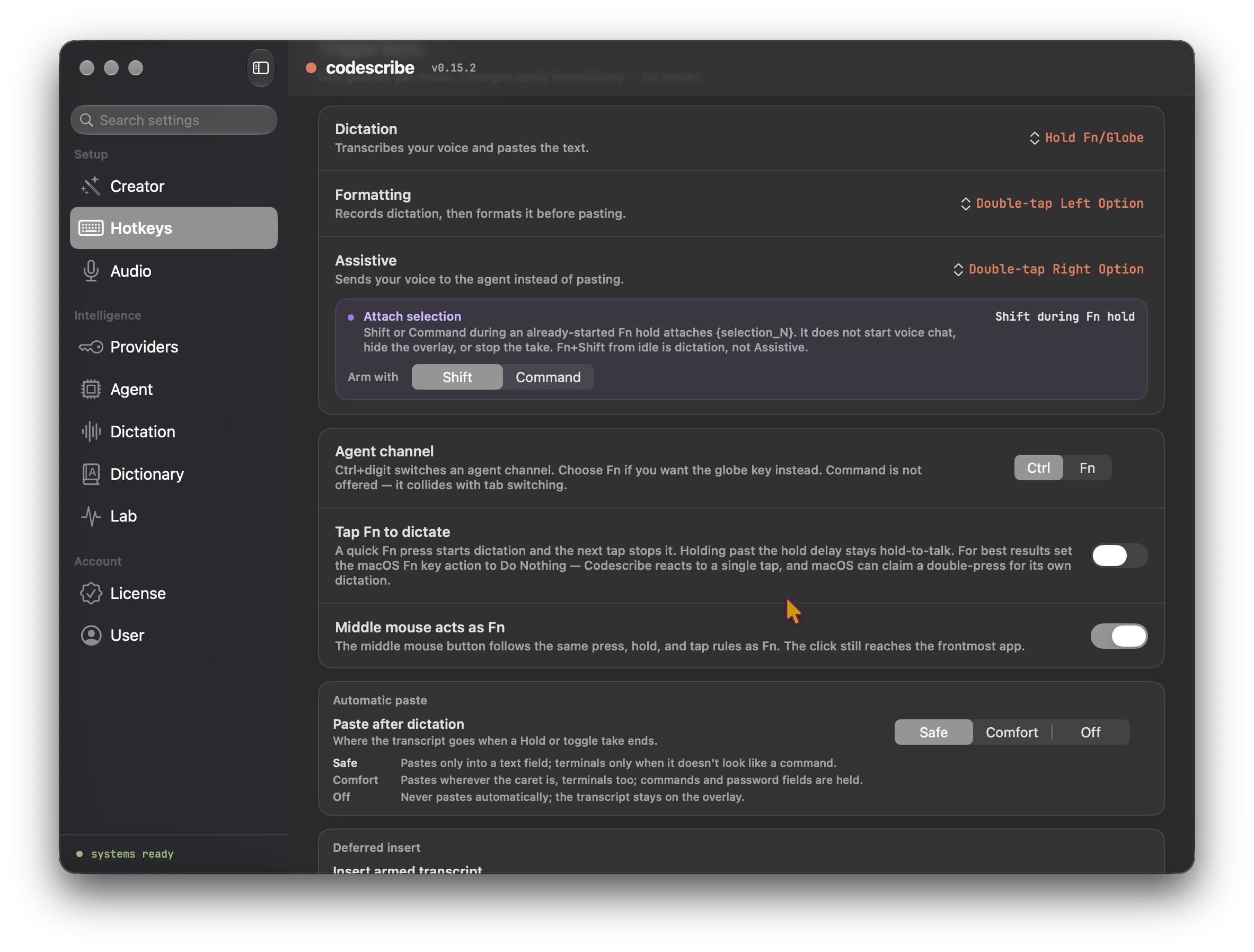
Make it feel like yours.
Dictate, format, or talk to the built-in Agent. Set your channel modifier, attach a selection while speaking, and choose whether text is pasted automatically or kept on the overlay for later. The controls live together in Hotkeys.
ONE CIRCUIT
Seal → envelope → wake → reply → receipt.
- 01
Seal. Your words become a transcript sealed in the acoustic ledger — identity is the audio span itself, not a guess.
- 02
Envelope. The bus demultiplexer wraps the seal for its audience: a channel, a lease, a
delivery_id. - 03
Wake. Each runtime has its native edge — a queue that wakes a Codex session, a task that wakes a Claude Code session after its turn.
- 04
Reply. The agent answers on the same bus — and out loud, in its own assigned voice.
- 05
Receipt. The agent acknowledges the
delivery_id. Unacknowledged mail stays pending; nothing is lost silently.
TOPOLOGY
One bus, many edges.
In the recorded demo the edges were live Claude Code and Codex CLI sessions on two Macs. The bridge speaks to agent runtimes through their own mechanisms — no vendor integration required on the model’s side.
DELIVERY DISCIPLINE
A channel has a lifecycle, not a vibe.
Channel ownership is identity in a locked binding; a heartbeat lease only says whether anyone is listening. A crashed listener can’t hand your channel to a stranger — taking over a dead session is a deliberate operator ritual.
UNDERNEATH: THE ACOUSTIC LEDGER
Who may touch a word.
Every word belongs to a span of audio, and every producer has a rank. Nothing overwrites silently — a change needs a receipt. The human outranks everyone, always.